Quick Verdict
7.5/10 — OpusClip is the most focused AI clipping tool available for creators who need to turn long-form video into short-form content fast. It excels at identifying highlight moments, adding animated captions, and handling non-podcast video formats that most competitors ignore. Where it falls short: the free plan is genuinely limited for regular publishing, B-roll generation is locked behind higher tiers, and creators who want deep editing control will hit a ceiling quickly.
What Is OpusClip?
OpusClip is an AI-powered video repurposing tool built to solve one specific problem: you record a long video — an interview, a podcast episode, a vlog, a YouTube video — and you need clips ready for TikTok, Instagram Reels, and YouTube Shorts without spending hours in a timeline editor.
According to its official documentation, OpusClip is used by over 16 million creators and businesses. Its primary audience is content creators, YouTubers, and podcasters who are publishing long-form content regularly and need a scalable way to generate short-form clips without hiring an editor.
What sets it apart from similar tools is its ClipAnything model — a clipping engine that works across video genres beyond the talking-head format. Gaming footage, sports content, vlogs, and explainer videos are all supported, not just podcast-style recordings. That’s a meaningful distinction if your content doesn’t fit the “two people sitting and talking” format that most AI clipping tools are optimized for.
How Content Creators Use It
Scenario 1: The solo YouTuber publishing weekly long-form videos
If you’re a YouTuber who uploads 20–40 minute videos once a week and wants to run a consistent Shorts channel on the side, OpusClip fits directly into that workflow. You upload the finished video (or paste a YouTube URL), let the AI scan it for highlight moments, and receive a ranked list of clips — scored by the tool’s own “virality” prediction model. You pick the ones worth posting, adjust captions if needed, and export. According to user reports, this process takes minutes rather than the hours a manual edit would require.
Scenario 2: The podcaster repurposing episodes for social
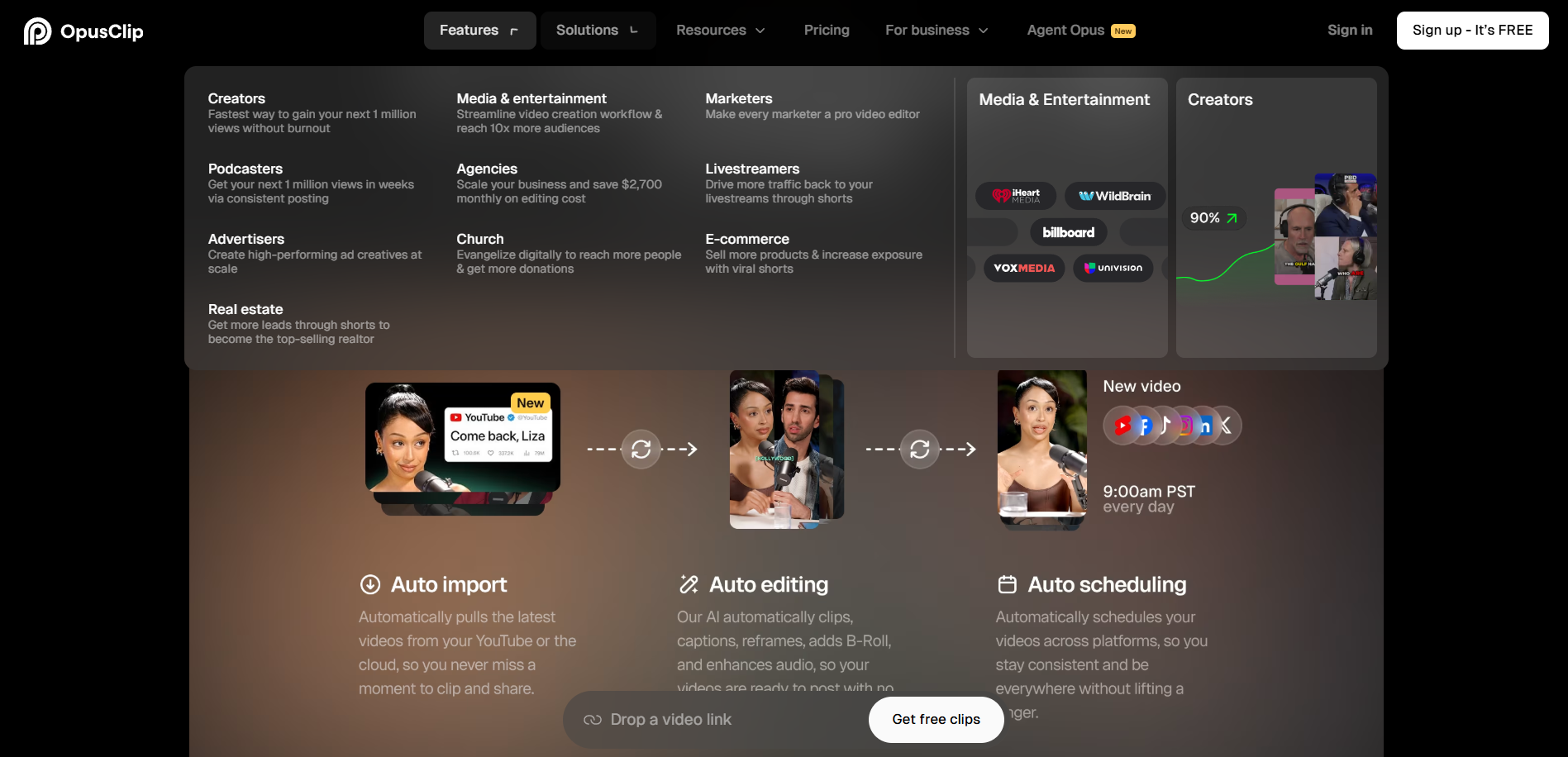
If you host a weekly podcast and record video alongside audio, OpusClip gives you a path from one recorded episode to multiple short-form videos without a separate editing step. The workflow: upload the video recording, receive clips with auto-generated captions, edit caption text where needed, and schedule directly to platforms. The clip title, description, and hashtag generator (available on all paid plans) means you’re also getting draft copy for each post — not just the video itself.
Scenario 3: The content team scaling output
If you manage video content for a brand or run a creator business with a small team, OpusClip’s Business plan supports up to 4 users and includes API access for connecting to your CMS. Based on the feature documentation, this means clip generation can be partially automated — upload triggers a clipping job, and finished clips land in your queue without manual intervention each time.
Step-by-step workflow: podcast episode → 5 pieces of content
- Record your episode with video (Riverside, Squadcast, or any camera setup)
- Upload the MP4 to OpusClip — or paste your YouTube URL if it’s already published
- Select target clip length (options include 0–1 min, 1–3 min, 3–5 min, and longer)
- OpusClip processes the video and returns a ranked list of clips with virality scores
- Review the top 3–5 clips — adjust captions, trim handles, or reframe using the AI reframe tool
- Use the built-in title, description, and hashtag generator to create post copy for each clip
- Schedule directly to TikTok, Instagram, YouTube Shorts, or LinkedIn from within OpusClip
- Result: one 45-minute episode becomes 5 platform-ready short videos with captions and copy — in under 30 minutes
Key Features
ClipAnything Model
The feature works by analyzing visual, audio, and sentiment cues together — not just transcript keywords. In practice, this means it can identify a highlight moment in a cooking vlog or a sports video, not just a podcast where someone says something quotable. For creators who don’t produce talking-head content, this is the most important differentiator OpusClip has over competitors.
Animated Captions with 97%+ Accuracy
OpusClip auto-generates captions with claimed accuracy above 97%. The animated caption templates are available on all paid plans, and speaker-based caption colors (useful for interview-format videos) are included from the Starter tier up. In practice, caption accuracy on clear audio is strong, though users on Reddit have noted that accuracy drops with heavy accents or overlapping speech — worth budgeting time for a manual review pass before posting.
AI Reframe and Object Tracking
The reframe model resizes horizontal video to vertical (9:16) automatically and uses object tracking to keep moving subjects centered. For creators shooting action content, vlogs, or anything that isn’t a static talking head, this removes one of the most tedious parts of repurposing. Manual tracking override is available if the AI loses its target.
Filler Word and Pause Removal
Available on Starter and above, this feature automatically removes “ums,” “uhs,” and dead air from clips. For podcasters, this is a meaningful time-saver — it’s the kind of micro-editing that adds up across a long episode.
Direct Scheduling and Publishing
OpusClip allows posting to multiple profiles per social platform from within the app. This is included on paid plans. It’s not a full social media management tool, but for creators who want one fewer tab open, it reduces the workflow from “export, download, re-upload” to a single publish action.
Screenshots
Pricing
Based on OpusClip’s current pricing page, the plan structure is as follows:
Free Plan: 60 minutes of video processing per month (refreshed monthly). Clips are watermarked. Export is limited to a 3-day window. Resolution up to 1080p. No B-roll generation. This plan is genuinely restrictive for creators publishing more than a handful of clips per month — 60 minutes of processing doesn’t go far if you’re uploading hour-long podcast episodes.
Starter Plan: $15/month (annual) or $15/month (monthly)
Pro Plan: $17.40/month (annual) or $29/month (monthly)
Business/Enterprise Plan: Custom pricing (annual)
For most independent creators and podcasters, the Starter plan is the entry point worth evaluating. The free plan is better treated as a trial than an ongoing publishing tool. If you’re processing more than 2–3 long-form videos per month, check the credit calculator on the pricing page to estimate actual usage — credits are consumed per minute of video processed, not per clip exported.
How It Compares
OpusClip vs. Descript Descript is the stronger tool if you want transcript-based editing, show notes generation, or a full podcast production workflow. It treats the transcript as the edit — you delete words, you delete audio. OpusClip doesn’t offer that level of editorial control. However, OpusClip is significantly faster for pure clip extraction and handles non-dialogue video that Descript isn’t designed for. If your main goal is repurposing clips specifically, OpusClip wins on speed. If your goal is producing and editing the episode itself, Descript is the better fit.
OpusClip vs. CapCut CapCut is a more capable manual video editor with strong template libraries and a free tier that includes watermark-free export. OpusClip’s edge is the AI-driven clip selection — CapCut won’t identify your best moments for you. For creators who already know exactly which clip they want to make, CapCut’s free plan is more usable. For creators who want the AI to surface those moments from a 60-minute recording, OpusClip is doing something CapCut isn’t.
OpusClip vs. Vizard Vizard is the most direct competitor. Both tools focus on clipping long video into shorts. According to user comparisons on Reddit, Vizard’s free plan offers more generous export options without watermarks, which makes it a meaningful alternative for creators who need watermark-free output before committing to a paid plan. OpusClip’s ClipAnything model and animated caption quality are generally cited as stronger, but Vizard is worth testing if free-tier watermark removal is a deciding factor.
What We Liked
- ClipAnything works across content genres — not just podcasts. Meaningful for creators whose content doesn’t fit the talking-head format.
- Captions are fast and generally accurate — animated templates look polished without manual design work.
- Virality scoring gives creators a starting point — even if you don’t trust the score entirely, it reduces decision fatigue when reviewing 15 potential clips.
- The clip title, description, and hashtag generator saves a separate copy-writing step — one workflow instead of two.
- Direct publishing integration — reduces the export-download-re-upload loop that costs time at scale.
What Could Be Better
- The free plan’s 60-minute monthly cap is too low for regular use. A single hour-long podcast episode consumes the entire monthly allowance. It functions as an extended trial, not a usable free tier.
- B-roll generation is severely restricted on lower plans — 3 AI clips and 3 stock clips per month on Starter is not enough for creators who want to use it consistently.
- No transcript-based editing. If you want to edit your video by editing text — deleting a paragraph and having the corresponding footage disappear — OpusClip can’t do that. That workflow lives in Descript.
- Watermarked exports on the free plan are a real barrier for creators who want to evaluate output quality in a live posting context before paying.
- Caption accuracy drops with challenging audio — overlapping speakers, heavy accents, or low-quality recording environments require a manual review pass that adds time back into the workflow.
Best For
Best for YouTubers and video podcasters who are already publishing long-form content consistently and need a faster path to short-form clips without hiring an editor. Specifically strong for creators whose content goes beyond the talking-head format — vlogs, documentary-style content, or mixed-media videos where most AI clipping tools fail to find meaningful moments.
Not Recommended For
- Creators who need full podcast production and editing — look at Descript instead, which offers transcript-based editing, audiogram creation, and show notes generation in a more complete workflow.
- Creators on a strict free-tier budget who need watermark-free output — Vizard or CapCut are more usable at the free level.
- Creators who want to build detailed, custom edits — OpusClip’s editor is clip-level, not timeline-level. If you’re doing complex multi-track editing, you’re in the wrong tool.
Final Verdict
OpusClip does what it promises: it takes a long video and surfaces short clips fast, with captions and platform-ready formatting. For content creators, YouTubers, and podcasters who are sitting on hours of recorded content and struggling to keep up with short-form publishing demands, it directly addresses the bottleneck. The free plan won’t carry you far, and the tool isn’t trying to replace a full editing suite — but as a dedicated repurposing layer in a content workflow, it’s one of the more capable options available in 2026.
Our reviews are based on thorough research of official documentation, feature pages, and verified user reports.